
By all the rules, with a clock of your choice
- 2 players
- No time limit or a FIDE clock
- The board offers only legal moves
The video
The video is narrated and captioned in Hebrew; the transcript below is in English.
Chess
Full chess inside the room: you invite a player and play on the board, and everyone else watches, talks and advises. The board offers only legal moves, and the server alone decides checkmate, stalemate and draws.
How to start
- In a game room: tap "New table", choose Chess and invite a player from the room. In a regular room, whoever manages the game starts it.
- Whoever opens the game picks a clock: "No time limit" (the default), Blitz, Rapid or Classical.
- The invited player taps "I'll play" — they have 60 seconds. The server draws who plays White, and White moves first.
How to play
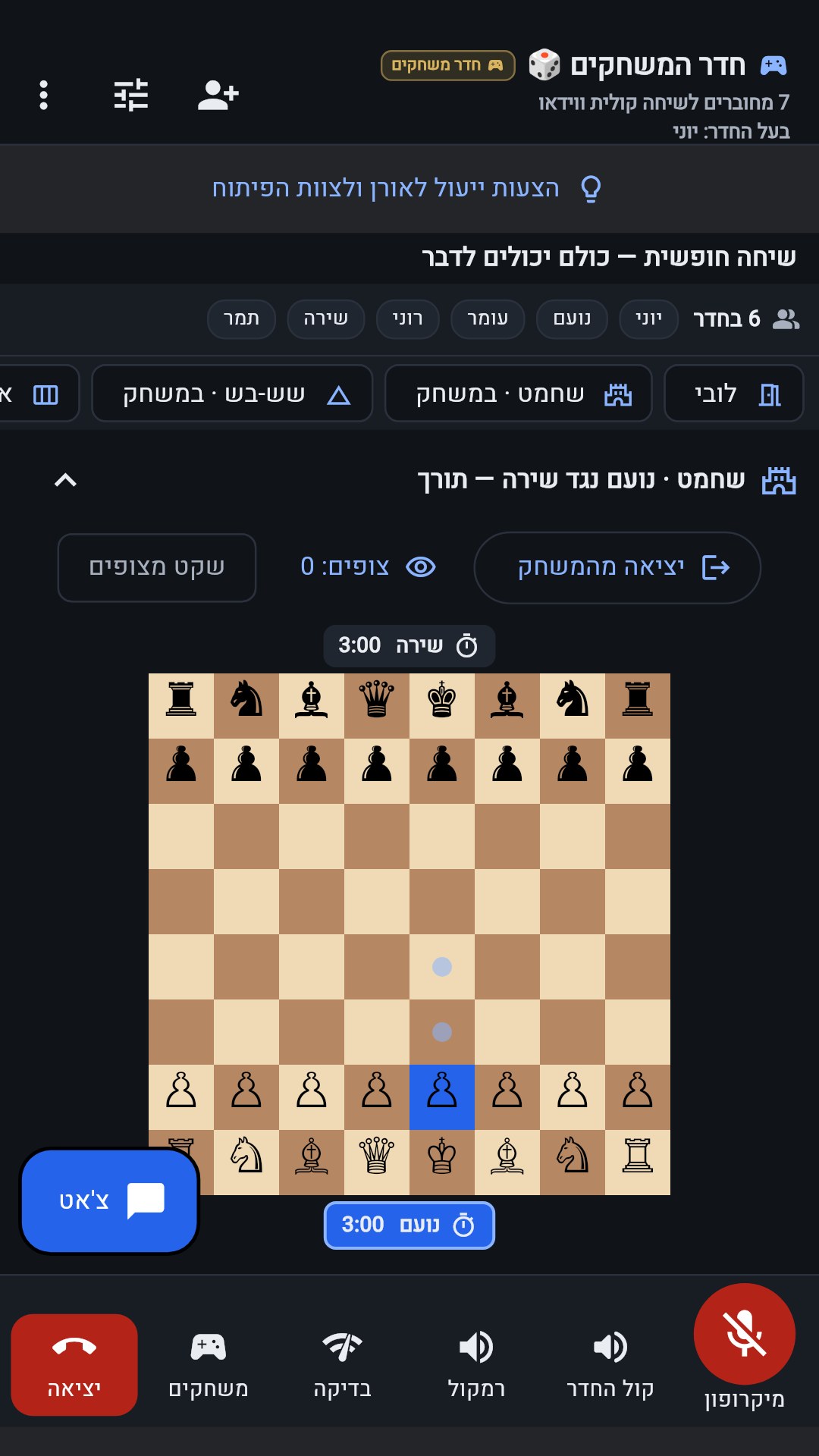
- Tap your piece — only a piece with a legal move can be selected.
- Tap the target square. The board offers only legal moves, so you cannot make an illegal move by mistake.
- When a pawn reaches the last row, the "Promote — choose a piece" window opens, and you choose a queen, rook, bishop or knight.
- Check, castling and en passant — everything follows the rules of chess.
How the game ends
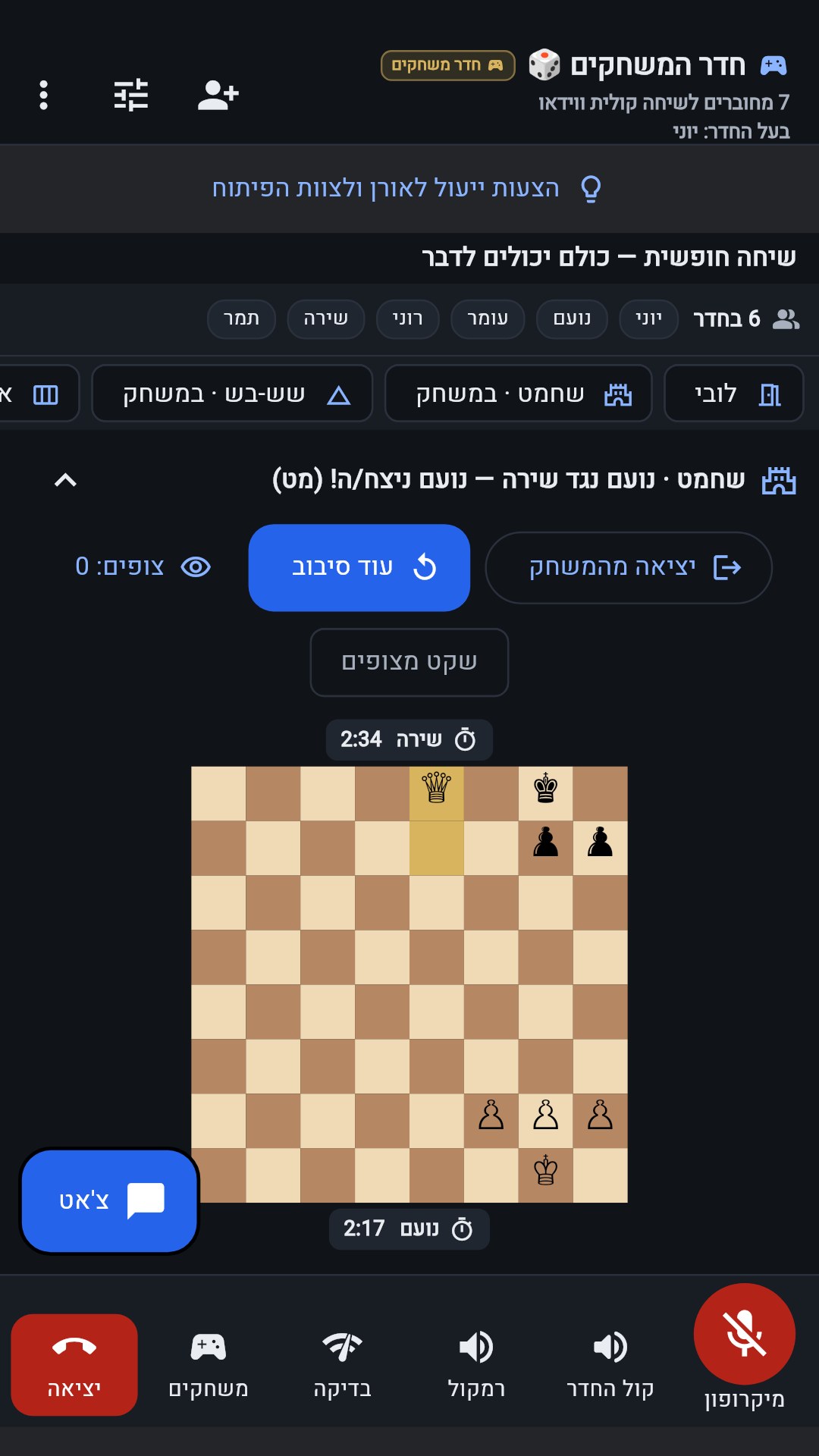
| Checkmate | Win |
|---|---|
| Stalemate — no legal move and no check | Draw |
| Neither side has enough pieces to checkmate | Draw |
| The same position for the third time | Draw |
| 50 moves with no capture and no pawn move | Draw |
| Time runs out on the clock | A loss — unless the opponent has no pieces to checkmate with; then a draw |
| "Leave the game" in the middle | Forfeit — the opponent wins |
What you choose at the start
| No time limit | The default. You can talk at ease, and the game does not end on time. A game nobody continues closes after 24 hours with no move, with no winner. |
|---|---|
| Blitz | 3 minutes per player, plus 2 seconds after each move. |
| Rapid | 15 minutes per player, plus 10 seconds after each move. |
| Classical | 90 minutes per player, plus 30 seconds after each move. |
With a FIDE clock the server keeps the time, and two clocks are shown next to the board.
In the room
- Spectators see the board, talk and advise during the game.
- In a game room: when the game ends you can tap "Another round" and play again with the same player.
This is how it looks in the app
Video transcript
Video transcript
- How to play chess in OrenChat.
- Open a new table, choose Chess and invite a player.
- No time limit — or a clock: Blitz, Rapid or Classical.
- The invited player taps "I'll play", and the server draws who plays White.
- Tap a piece, then a square — the board offers only legal moves.
- A pawn reached the far edge? Choose a new piece for it.
- Checkmate wins, stalemate is a draw — and the server decides on its own.
- The others watch, talk and advise — and at the end, another round.
- OrenChat — free for Android. Download it now from the website.
The server is the referee: it checks every move, draws the random results and decides — you cannot cheat from the phone.
Games guide OrenChat — home page Download OrenChat for Android